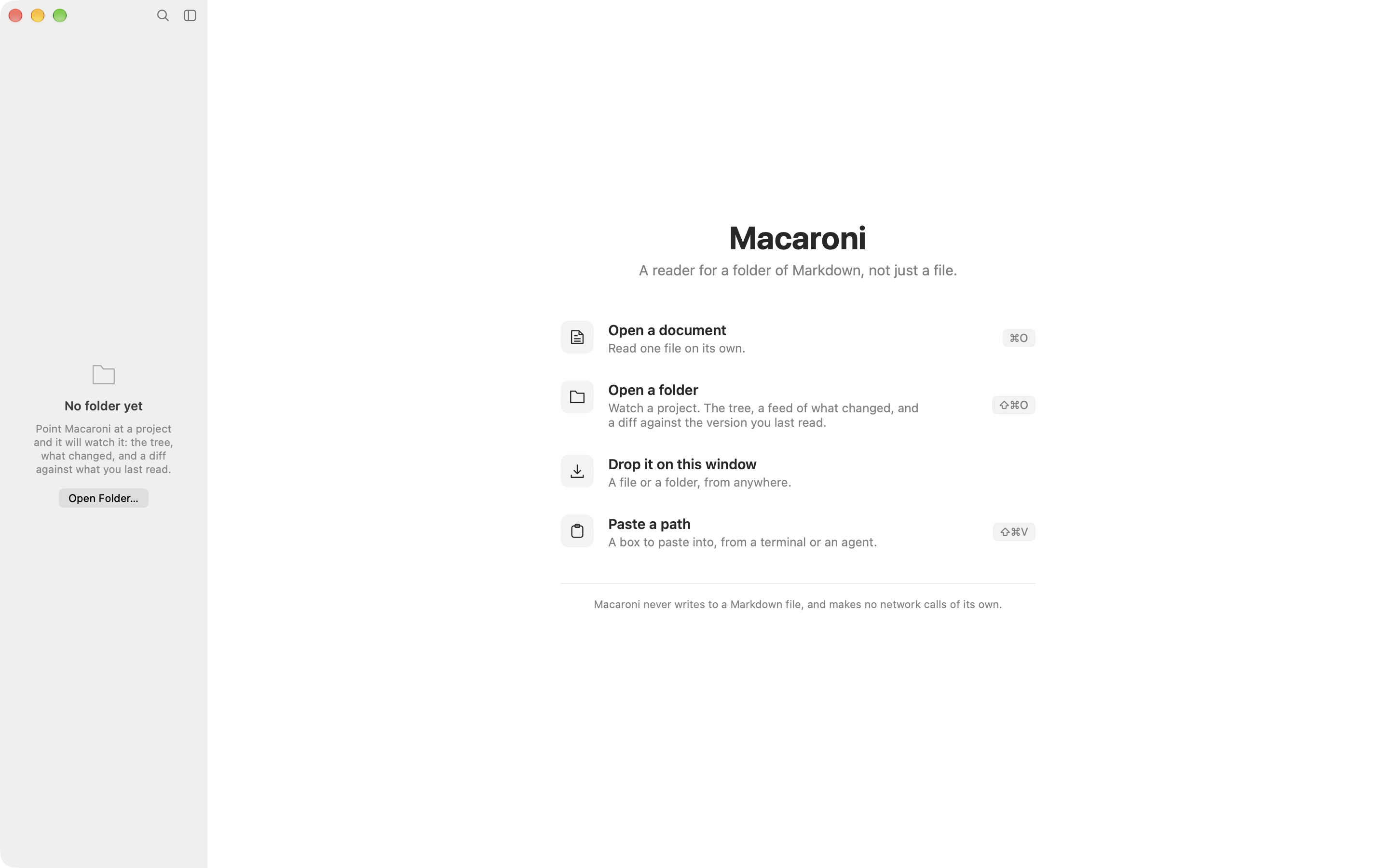
Macaroni for macOS
Read the folder,
not just the file.
Point Macaroni at a project and it watches the whole tree: the plans, specs and notes your AI agent writes. It lists what changed since you last read it, and shows you exactly what moved.
How it starts
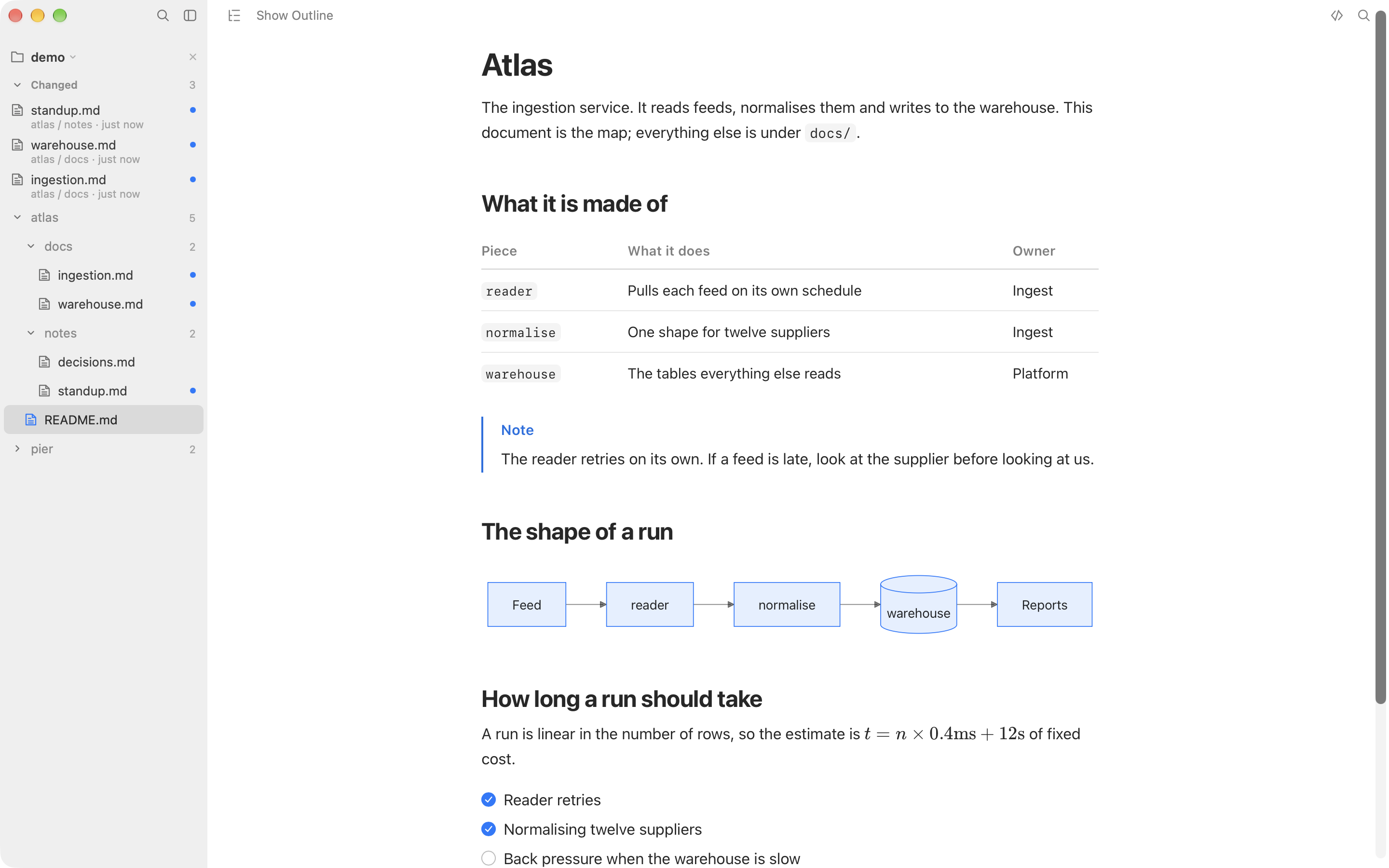
Open a folder. That is the whole setup.
No account, nothing to configure and nothing to sign in to. If what you have is a path rather than a folder, because a terminal printed it or an agent said where it wrote, ⇧⌘V opens a box already holding it.
Point it at a project.
Drop a folder on the window, or press ⇧⌘O. The tree appears, and it stays true as files are written, renamed and deleted.
Come back to what changed.
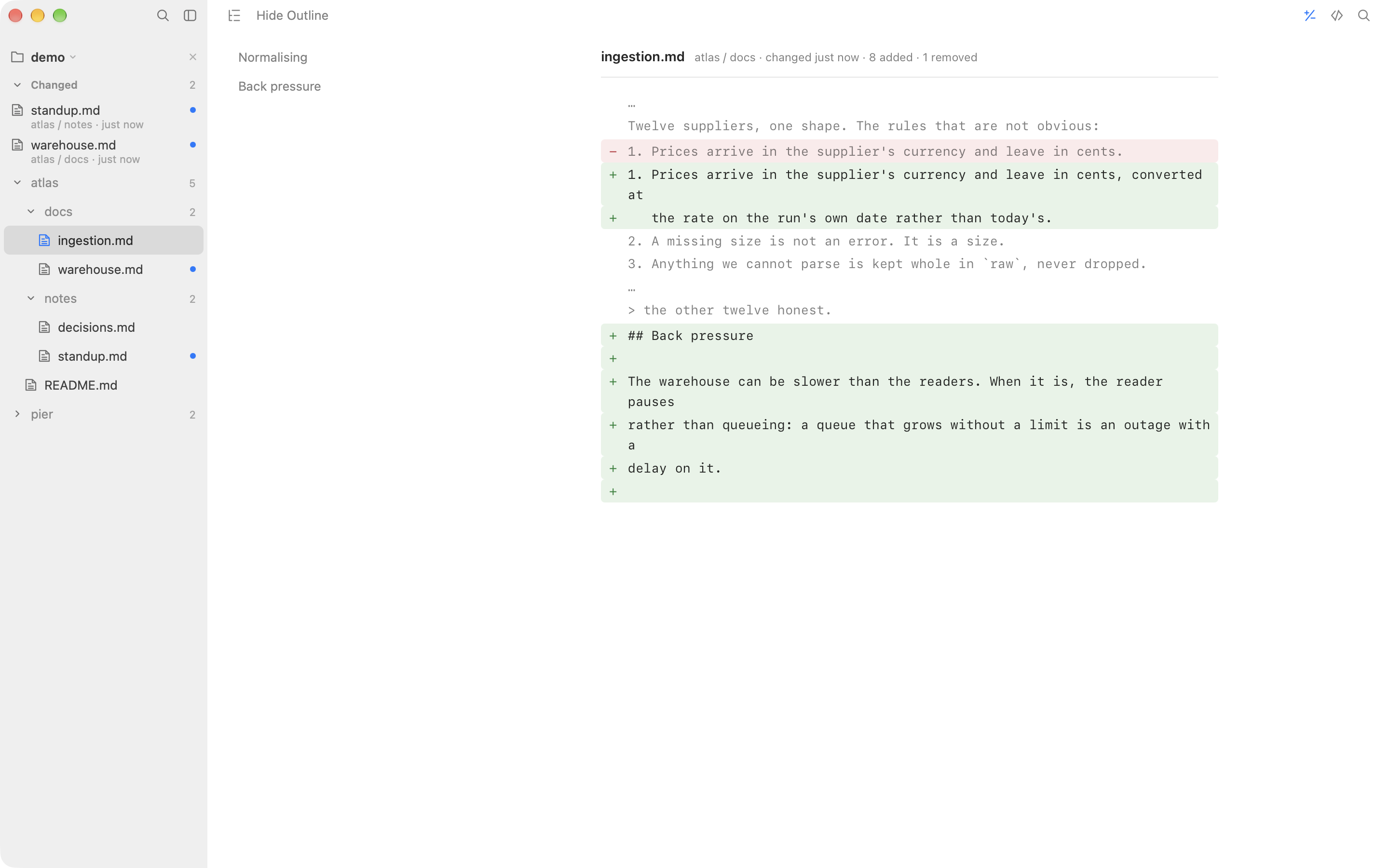
Files written since you last read them wait at the top of the sidebar, newest first, with a dot beside anything unseen. Reading one clears it.
See exactly what moved.
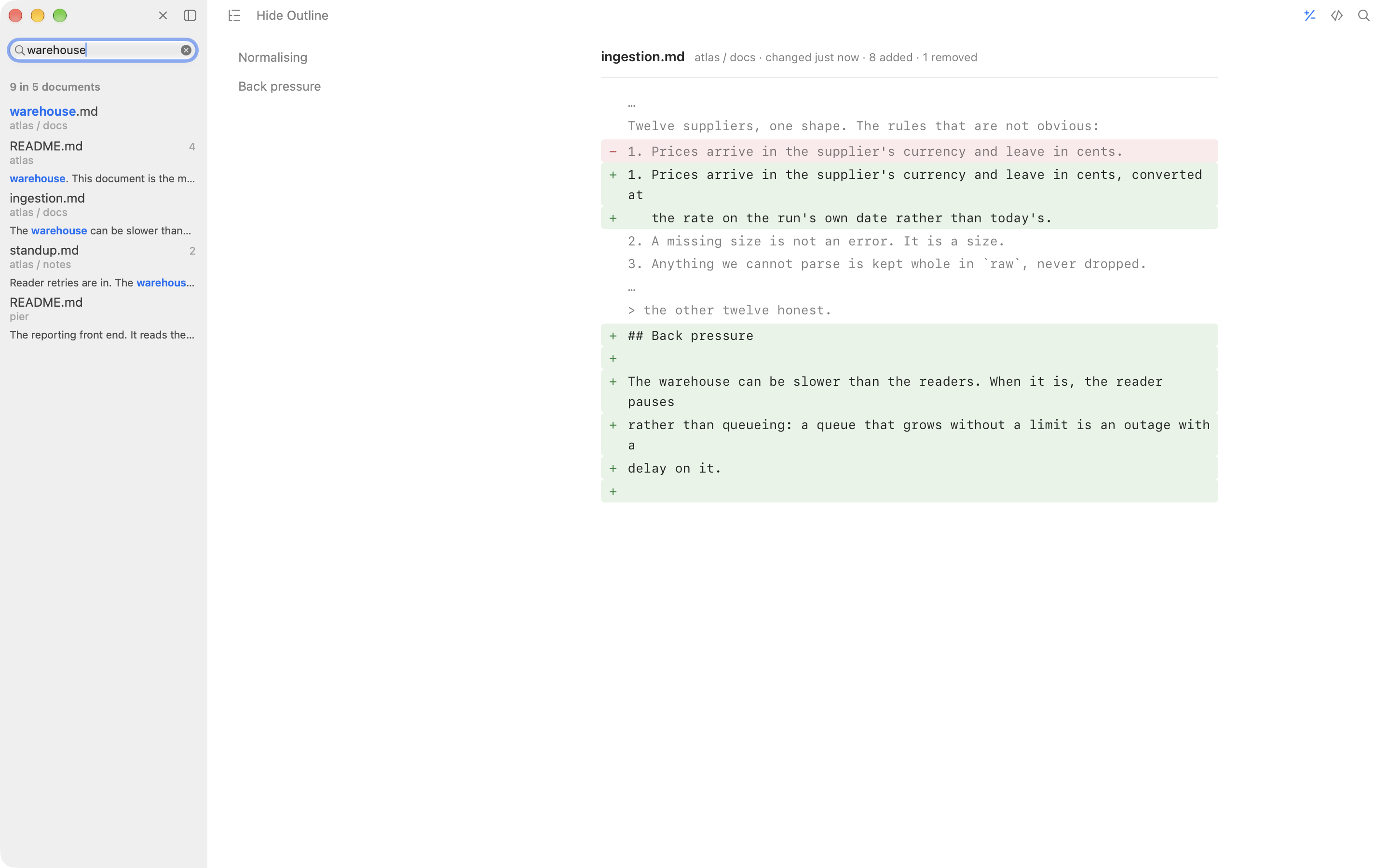
⇧⌘D shows the difference line by line, against the version you last read rather than against a commit.
What changed
Find out what an agent wrote while you were away.
Every Markdown viewer renders a file. Macaroni watches the folder. That is the whole difference, and it is what you want when Claude Code, a colleague or a build is writing into your documents while you read them.
The comparison holds still while you are looking at it, so a document being rewritten underneath you does not move the goalposts. The outline beside a diff lists the sections the changes are in, rather than whichever headings happen to fall inside one.
Reading
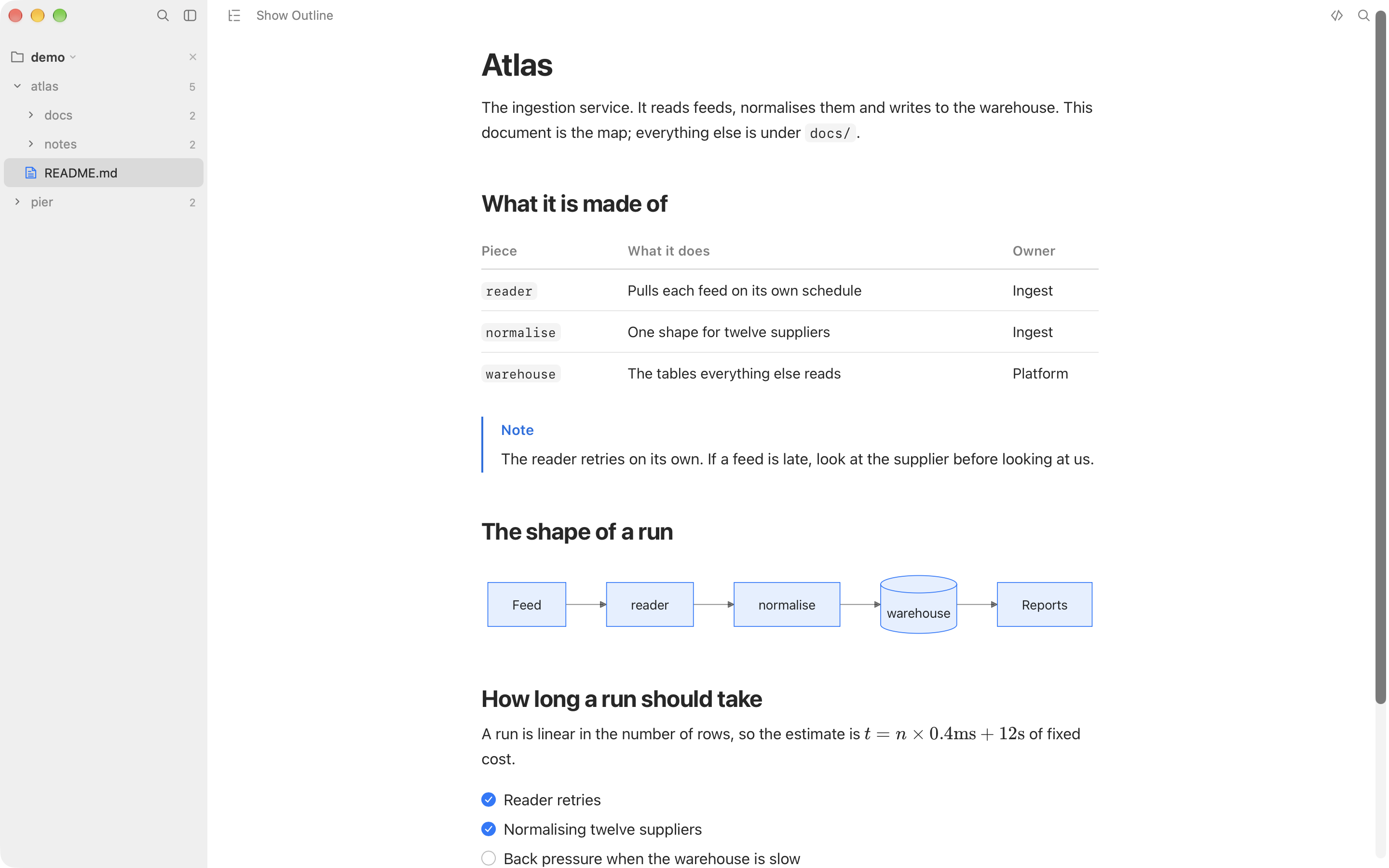
It renders what your documents actually contain.
Tables, task lists, footnotes, YAML front matter, GitHub alerts,
<details>, emoji, LaTeX through KaTeX, Mermaid
diagrams, and code with its language named and a button to copy it. A
tag it does not know keeps its text rather than vanishing, and says so.
Search
One search that knows the difference between two questions.
⌘F finds in this document, with a counter that says where you are. ⇧⌘F searches the whole project: files whose names match come first, then the lines inside each file, with a count and the folder each one sits in.
The details
Small things, done properly.
An outline that follows you
A column of headings beside the page. Pick one to jump; scroll and the marker moves with you. It works over the source and over a diff.
Live reload
Edit the file in any editor, or let an agent write to it, and the page re-renders in place, keeping your scroll position.
Quick Look
Press space on a Markdown file in Finder and the same rendering appears, from the same engine, without opening the app.
A measure set by counting
The column holds a line near 88 characters at the default size, set by rendering real prose and counting rather than by taste.
Print, and Export as PDF
Both through one paginated path and one print stylesheet: black on white whichever appearance you are in, and a ticked box prints ticked.
Select All means the document
⌘A takes the words on the page and nothing else: not the file list, not the labels the page draws around your text.
It comes back as you left it
The folder, the documents you had open, which one you were reading and where you were in each of them.
The system's own colours
Light and dark, following your accent colour, taken from macOS at runtime. It answers Reduce Motion, Reduce Transparency and Increase Contrast.
Markdown source, one key away
⌘/ shows the file as written, highlighted, at the same measure. A dot on the button says when a document holds markup the rendered view does not show.
The promise
What it will not do.
- It never writes to a Markdown file. Not a formatting pass, not a metadata line, not a saved position inside the document.
- It makes no network calls. There is no networking code in it, and the page it renders your document into is not allowed to make a request either.
- It collects nothing. No account, no sync, no analytics, no crash reporting of its own.
- It is sandboxed, and reads only the files and folders you hand it.
Pricing
One price. A reader to keep.
One time, on the Mac App Store. No subscription, and updates are what the store is for.
one time · Mac App Store
- The watched folder: the tree, the changed feed, the unread dots
- What Changed: a diff against the version you last read
- Project search, and find-in-document with a counter
- Tables, alerts, KaTeX, Mermaid, highlighted code
- Quick Look in Finder, print, and Export as PDF
- macOS 15 or later, Apple silicon and Intel
Purchases and refunds are handled by Apple. Questions first? Support answers within two working days.
Questions
Questions, answered.
Why pay when free Markdown viewers exist?
Because rendering is not the product. Plenty of free apps render a file nicely, and if that is all you need, use one. Macaroni is the layer above the file: it watches the folder, tells you what was written since you last read it, and shows the difference line by line. Nothing free does that.
Does it work with Claude Code, Cursor and other agents?
That is what it is for. Watch the project folder while an agent works: new and rewritten documents surface in the changed feed, the open document re-renders as it is written, and the diff shows what moved since you last looked. Macaroni does not care which tool did the writing.
Can it edit my files?
No, by design. It never writes to a Markdown file: not a formatting pass, not a metadata line. Reading is the whole app, and the read-only promise is what makes it safe to point at a folder an agent is working in.
What does it render?
CommonMark and GitHub Flavoured Markdown: tables, task lists, footnotes, YAML front matter, GitHub alerts, disclosures, emoji shortcodes, LaTeX maths through KaTeX, Mermaid diagrams and highlighted code. A tag it does not know keeps its text rather than vanishing.
Does it need the internet?
No. Everything it draws ships inside the app, there is no networking code in it, and the page it renders into is forbidden from making requests by its own content security policy. See the privacy policy, which is one page because there is nothing to describe.
Is there a free trial?
The Mac App Store does not offer trials for one-time purchases, and Macaroni will not adopt in-app purchase machinery just to fake one. If it turns out not to fit, Apple handles refunds at reportaproblem.apple.com.
Which Macs does it run on?
macOS 15 or later, on Apple silicon and Intel.
Can I preview Markdown in Finder?
Yes. Macaroni includes a Quick Look extension, so pressing space on a Markdown file shows the same rendering without opening the app.
Your agent is still writing.
Read what changed.
$13.99, one time. Coming to the Mac App Store.