How to view Markdown written by AI agents on a Mac
An AI coding agent is a prolific technical writer that never renders its own work. Whoever reads it needs a setup, because the old one, opening a file when someone sends it to you, assumes documents arrive one at a time and hold still. These do neither.
What AI agents actually write
Run Claude Code, Cursor's background agents or Codex on a real project
for a week and count the Markdown. Plans that want approval before work
starts. Progress notes and final reports. Research summaries with
tables of options and trade-offs. Architecture sketches as Mermaid
diagrams. And the standing instruction files the agents themselves read:
CLAUDE.md, AGENTS.md, the rules files, which
the agents also edit.
This is heavy Markdown, not blog-post Markdown: GitHub alerts, task lists with dozens of boxes, fenced code in six languages, footnotes, YAML front matter, the occasional formula. And it has a property human-written documents rarely have: it changes while you are reading it. The agent that wrote the plan is still running, and version four replaces version three before you finished version two.
Why the obvious answers chafe
The terminal is where the documents are announced, and the worst place to read them: tables become pipe walls, diagrams become arrow soup, and scrollback is not a reading position. Terminal renderers like glow help for short files and still leave diagrams and maths as source.
The editor preview (VS Code and Cursor, ⇧⌘V) renders well and costs nothing, but it puts an editable buffer between you and a file the AI agent owns. If the agent saves while your tab holds unsaved hover-edits, one of you loses. And the preview shows the file you opened, not the three other files the agent wrote since.
Pushing to a web UI, a gist or a wiki adds a sync step to documents whose whole point is that they are fresh this minute.
The setup that works: a reading window
The arrangement that survives contact with a busy AI agent is two windows with two jobs: the terminal where the agent runs, and a window that only reads, pointed at the project folder. The reading window has four requirements.
- It must be incapable of writing. Not disciplined about it: incapable. A read-only viewer can never race the AI agent for a file, never leave a stray character in a spec, never hold a lock an agent trips over. This is what makes it safe to leave open all day.
- It must follow the folder, not the file. The question after two hours away is not "did this file change" but "what changed in the project". A viewer that watches the tree can answer with a list: these documents were written since you last read them.
- It must re-render on save, in place. Live reload that keeps your scroll position turns "the agent is writing the report" from a wait into a read-along.
- It must render the whole dialect. Every construct that falls back to raw markup is a trip back to the source view. Agent documents lean on exactly the constructs cheap renderers skip: Mermaid, alerts, footnotes, maths.
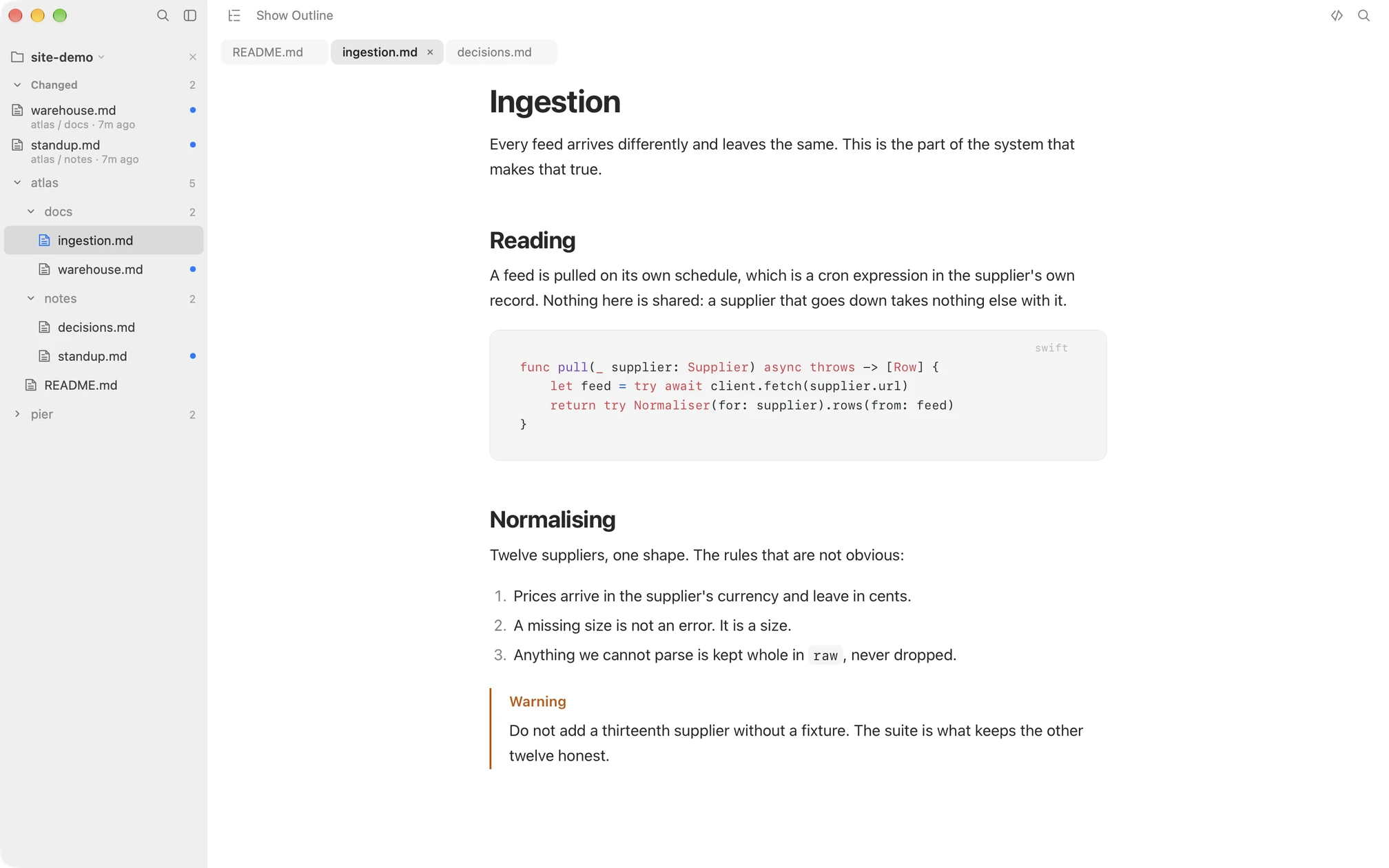
Macaroni is this reading window, built as one. Point it at the project and the sidebar becomes a changed feed: documents written since you last read them float to the top, newest first, and reading one clears its dot. The open document re-renders as the AI agent saves it. Project search (⇧⌘F) covers file names and contents. And because the agent rewrites as freely as it writes, ⇧⌘D diffs the open document against the version you last read, no commits involved, with the outline listing which sections moved. That diff has its own guide.
A workflow that uses it
- During a session: agent in the terminal on one half of the screen, the plan open in the reading window on the other. When the agent says "I've updated the plan", it is already re-rendered, at your scroll position.
- After time away: open the reading window first, not the terminal. The feed is the agenda: read the report, skim the diff on the plan, then decide what the agent does next.
- End of the week: open
CLAUDE.mdandAGENTS.mdand read their diffs. These files steer every future session, they were edited by the sessions themselves, and the diff since you last read them is the fastest audit there is.
Does the choice of AI agent matter?
No, and that is the point of watching the folder. Claude Code, Cursor, Codex, Aider, a cron job, a colleague: the feed reports what changed on disk, whoever did the writing. Switching agents, or running two at once on different parts of the tree, changes nothing about how you read the results.
Macaroni is a fast, read-only Markdown viewer for macOS, made for reading what AI agents write: a watched folder, a changed feed, live reload and a diff against the version you last read. $14.99, one time, no subscription.
See what it does