Macaroni vs MarkdownObserver: two ways to watch a folder
MarkdownObserver is the app in the field closest to Macaroni: it also watches a folder of Markdown and shows you what changed. It is cheaper, it is open source, and it does several things Macaroni does not. The real difference is memory: what each app compares against, and what is still there after you quit.
Credit first. MarkdownObserver, by Lars Pohlmann, costs $3.99 on the Mac App Store, is MIT licensed on GitHub, and collects no data. Point it at a folder, subfolders included, and new Markdown files open themselves as they appear. Each document carries live change markers in the margin, green for additions and orange for edits, and you can step through the changes or compare before and after side by side. It renders Mermaid, KaTeX maths, footnotes and callouts, offers more than a dozen reader themes from Paper and Tufte to Nord and Tokyo Night, can post a notification when a watched file changes, and has a split view for editing the source. For $3.99 that is a lot of app.
Side by side
| Macaroni | MarkdownObserver | |
|---|---|---|
| Price | $14.99 one time, Mac App Store | $3.99, Mac App Store; open source (MIT) |
| The diff compares against | The version you last read, however long ago that was | A version from a set time ago, 10 seconds to 10 minutes, or one you pick from the versions it saw while open |
| After you quit | Kept: last-read copies are saved on your Mac, so the next diff still starts from your last reading | Gone: version history is held in memory, up to 32 versions a file, and starts again at launch |
| Changes made while the app was closed | Wait in the changed feed at the next launch | Not tracked: it marks the changes it sees happen |
| Folder view | The whole folder as a live nested tree, with the changed feed above it | A sidebar of the documents it has opened, grouped by subfolder |
| New files | Appear in the tree and the feed, and wait for you | Open automatically as they appear |
| Search across the folder | Yes, file names and contents | No; not on its site, its store page or in its source |
| Notifications | No | Yes, optional |
| Themes | One look that follows macOS light and dark and your accent colour | More than a dozen reader themes |
| Editing | Never; read-only by design | Yes: a split source view that saves to the file |
| Mermaid, maths, footnotes | Yes, plus GitHub alerts, front matter and disclosures | Yes, plus callouts |
| Quick Look | Yes, press Space in Finder | No extension |
| Minimum macOS | 15 | 15 |
Watching a change happen, or catching up on it
MarkdownObserver is built for watching. An AI agent saves, the file opens, the markers show what moved in the last minute or two. If you sit beside the agent and follow its work as it lands, that is exactly the right model, and its automatic opening and notifications make it better at following along than Macaroni is.
Macaroni is built for coming back. You read the plan at ten. The agent rewrote it three times over lunch, and you quit the app, or restarted the Mac, in between. At two, the changed feed lists the plan with an unread dot, and ⇧⌘D shows everything that moved since ten, in one comparison. A diff measured from "ten minutes ago" or from "since the app launched" cannot answer that question, because the version you read is older than both.
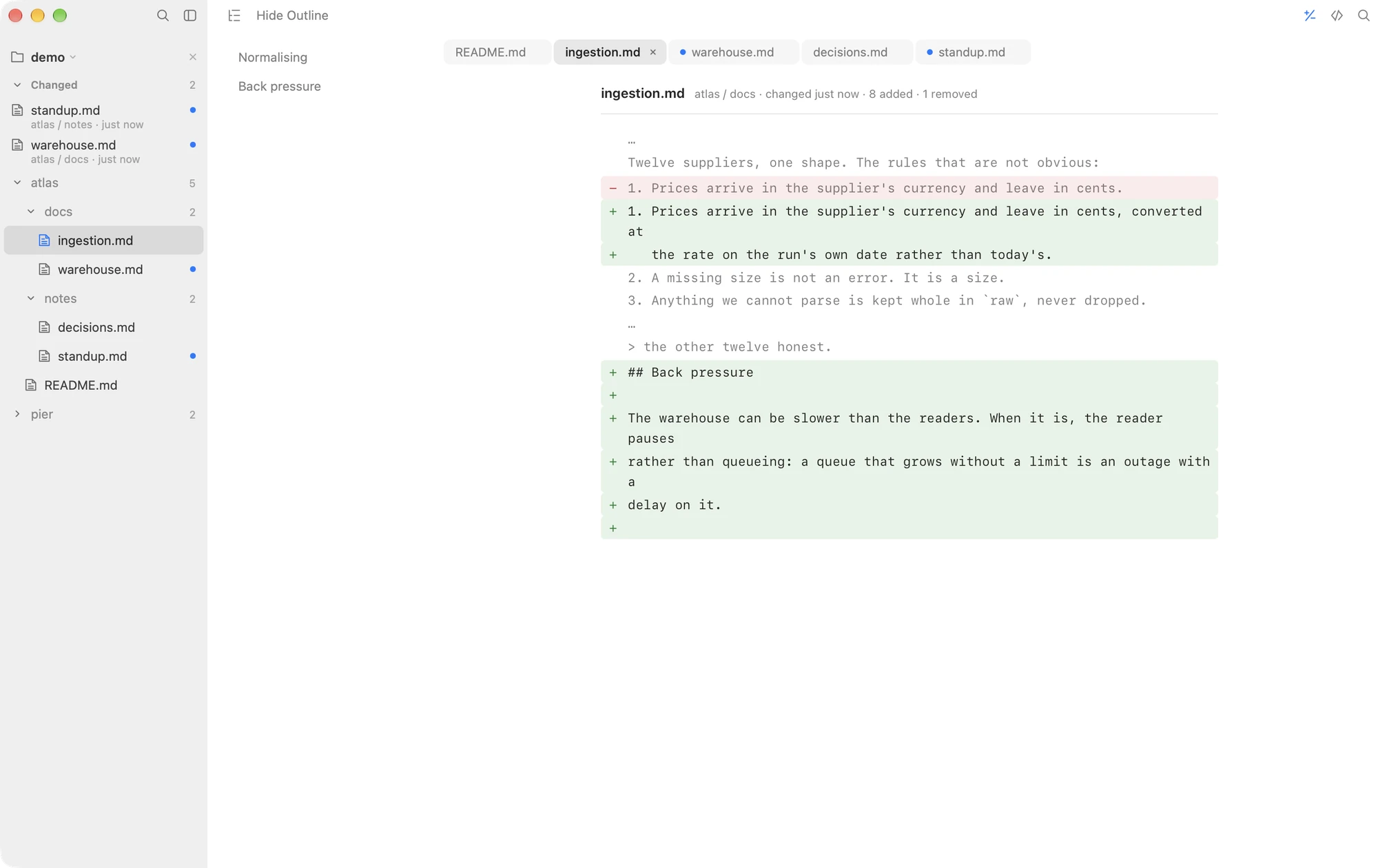
The other divide: it can edit, Macaroni cannot
MarkdownObserver's split view lets you fix a line in the source and save it. Macaroni has no way to write to a Markdown file at all, which is the point when an AI agent owns the folder: there is no editor buffer to go stale over a fresh save, and nothing you do in the reading window can end up in the agent's files. If you want to edit where you read, MarkdownObserver is the better fit.
Choose MarkdownObserver if
- You follow an agent live and want each new file to open itself, with a notification when something changes.
- You want reader themes beyond the system look.
- You want to edit the source in the same window.
- $3.99, or building it yourself from open source, is the budget.
Choose Macaroni if
- You read in sittings and want the diff to start from your last reading, even after a quit or a restart.
- You want changes made while the app was closed to be waiting for you, in a feed with unread dots.
- You want the whole folder as a tree, searchable by content.
- You want Quick Look in Finder, and a window that cannot write.
Macaroni is a fast, read-only Markdown viewer for macOS: open one file like any viewer, or watch a whole folder and see what changed since you last read it. Mermaid, KaTeX, Quick Look, live reload. $14.99, one time, no subscription.
See what it does