Macaroni vs mdown: what does the $14.99 actually buy?
mdown is the best free Markdown viewer on the Mac, and this page says so before it says anything else. We make Macaroni, the paid one, so the burden of proof runs our way: if free does your job, install mdown and keep the money.
This comparison is unusually grounded: we installed mdown and drove every feature it has, then put one technical document through both apps and recorded what each rendered. The dates matter, mdown ships often, so treat everything below as a snapshot of version 1.0.17.
Side by side
| Macaroni | mdown | |
|---|---|---|
| Price | $14.99 one time, Mac App Store | Free, at mdown.app |
| Read only | Yes, by design | Yes |
| Quick Look extension | Yes | Yes |
| Live reload | Yes, keeping your scroll position | Yes |
| Mermaid diagrams | Rendered | Shown as literal markup |
| LaTeX maths | Rendered, KaTeX | Shown as literal markup |
| GitHub alerts, footnotes, front matter, disclosures, emoji shortcodes, table alignment | All rendered | All shown as literal markup, checked with one file through both apps |
| Folder view | A real nested tree that stays live | One flat alphabetical list per folder |
| Project search | File names and file contents | File name filter only |
| Changed feed | Yes, with unread dots | No |
| Diff since last read | Yes, line by line, no git | No |
| Tabs and windows | Document tabs with previews, and a window per folder | Document tabs and multiple windows |
| Windows version | No | Yes |
| Sandboxed | Yes, Mac App Store rules | No; notarised Developer ID with Sparkle auto-update |
| Minimum macOS | 15 | 14 |
What mdown does well, genuinely
mdown is native SwiftUI, small, fast, and free without a catch. It has
document tabs, preferences with a live preview, zoom, a copy button on
code blocks, and a button that makes it the default app for
.md files. Its interface writing is excellent: every
empty state explains itself and offers the next action. It runs on
macOS 14 where Macaroni needs 15, and it has a Windows build if your
life spans both platforms. If what you read is READMEs and plain
notes, mdown is the correct answer and it costs nothing.
Where the free answer stops
Rendering, checked with one file
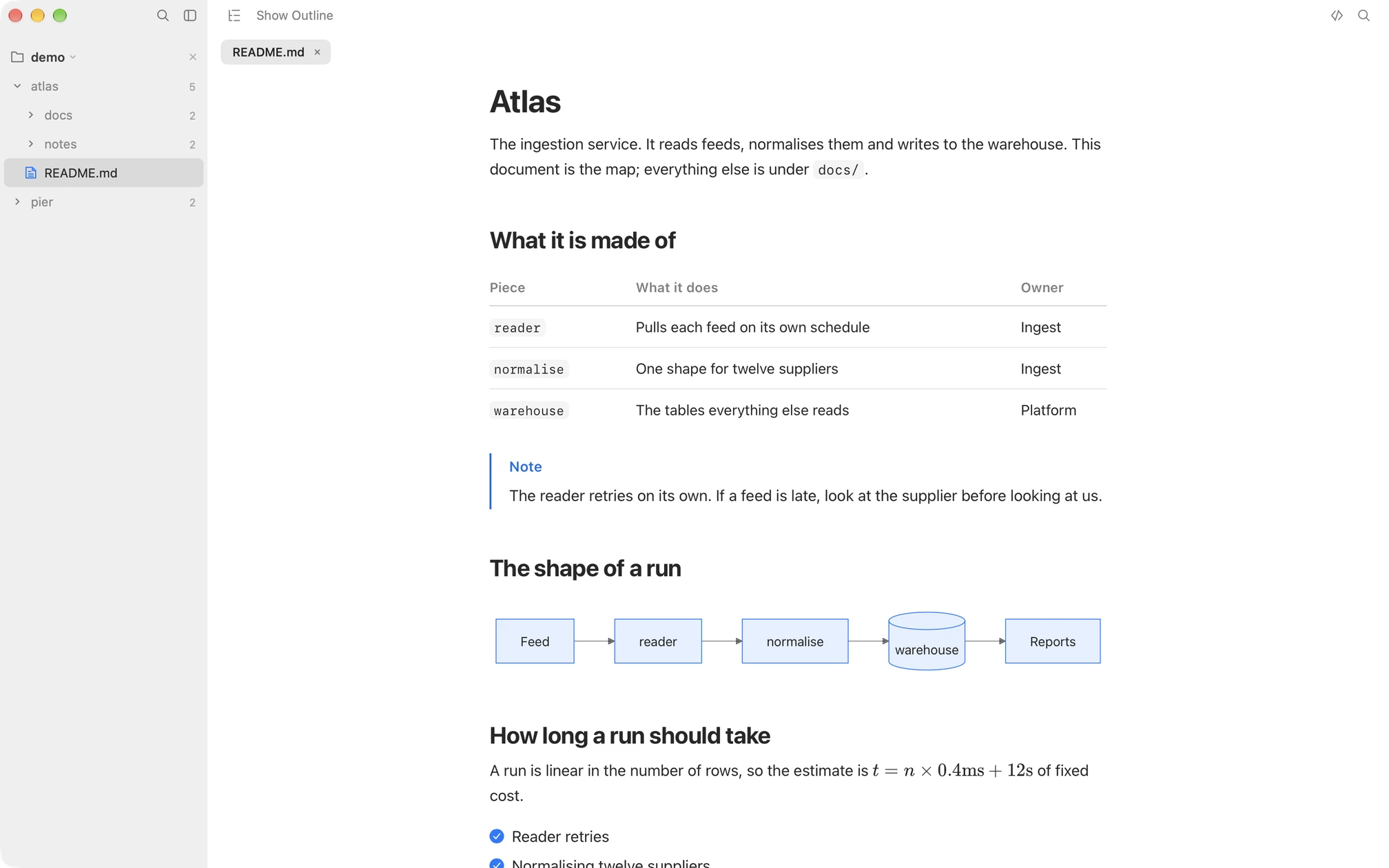
We put a single document containing a Mermaid diagram, a formula,
footnotes, a GitHub alert, YAML front matter, a
<details> disclosure, emoji shortcodes and an
aligned table through both apps. In Macaroni all of it renders. In
mdown 1.0.17 every one of those constructs appears as literal markup:
the raw ```mermaid fence, the raw $$, the
raw > [!NOTE]. That matters more than it used to,
because documents written by AI agents lean on exactly these
constructs: plans arrive with diagrams, alerts and task lists, and a
viewer that shows them as source sends you back to the terminal.
The folder
mdown lists a folder as one flat, alphabetical list of file names. In
a real project that breaks down fast: a repository with fifteen files
called SKILL.md becomes fifteen identical rows with
nothing to tell them apart, and the filter searches names only.
Macaroni keeps the real nested tree, live as files appear and go, and
searches contents as well as names.
What changed
Neither the changed feed nor the diff exists in mdown in any form, and this is the actual reason Macaroni costs money in a field with good free apps. Come back after two hours away and Macaroni lists which documents were written since you last read them; ⇧⌘D then shows what moved inside one, line by line, against the version you read. If nothing in your week needs that, be honest with yourself and use mdown.
Choose mdown if
- You read simple documents occasionally and free matters more than rendering depth.
- You want the same viewer on Windows.
- Your Mac is on macOS 14.
Choose Macaroni if
- Your documents contain diagrams, maths, alerts or footnotes, and you want them rendered rather than shown as markup.
- You read whole projects and need a real tree plus full-text search.
- Things change while you are away, especially when an AI agent does the writing, and you want the feed and the diff instead of re-reading documents to find out what moved.
Macaroni is a fast, read-only Markdown viewer for macOS: open one file like any viewer, or watch a whole folder and see what changed since you last read it. Mermaid, KaTeX, Quick Look, live reload. $14.99, one time, no subscription.
See what it does